# Two-factor authentication

## The two-factor authentication menu
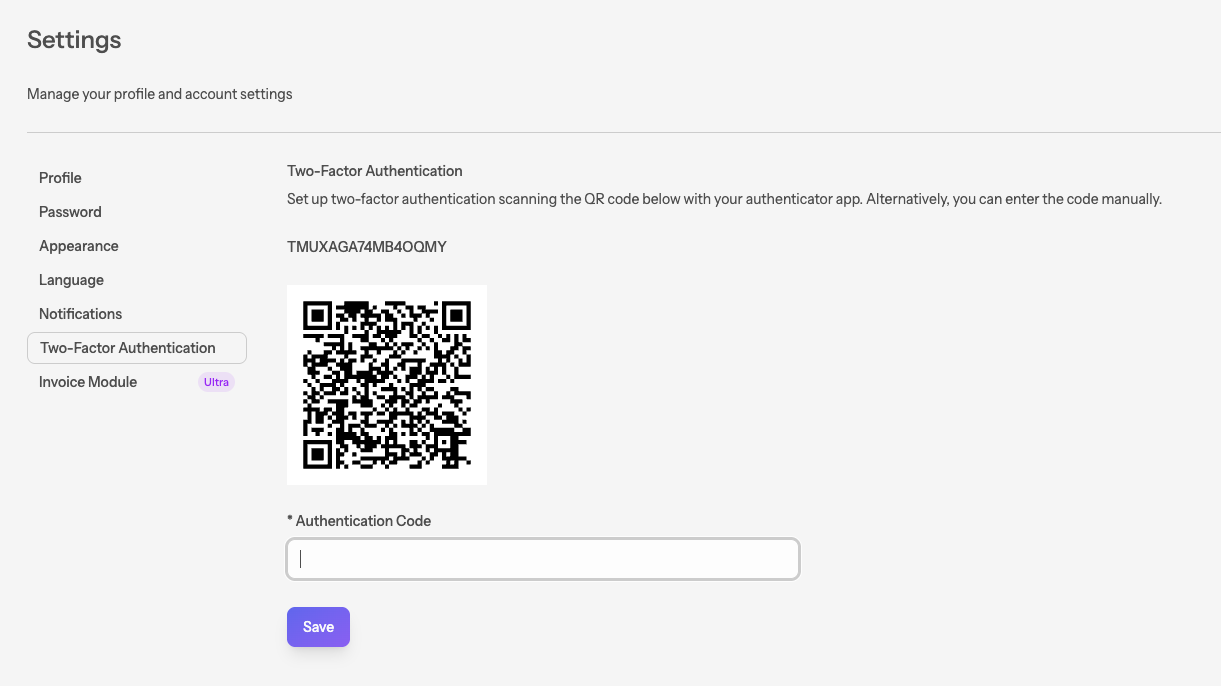
To enable two-factor authentication, navigate to <br/>
**My profile** > **Settings** > **[Two-factor authentication](/settings/register-two-factor)**.
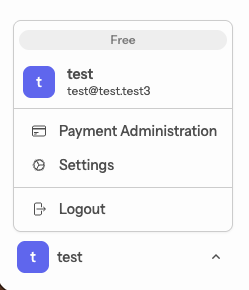
![Personal menu](/storage/guide/01/1.1.en.png)
![Two-factor authentication](/storage/guide/01/1.2.en.png)

## Getting an authenticator
We recommend using the Microsoft Authenticator app. <br/>
You can download both the [Android](https://play.google.com/store/apps/details?id=com.azure.authenticator&hl=en) and the [iOS](https://apps.apple.com/us/app/microsoft-authenticator/id983156458) versions here.

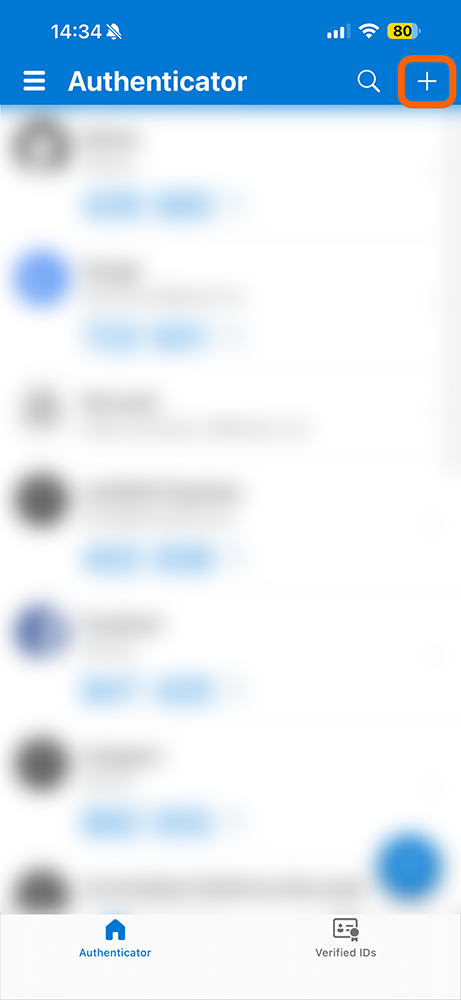
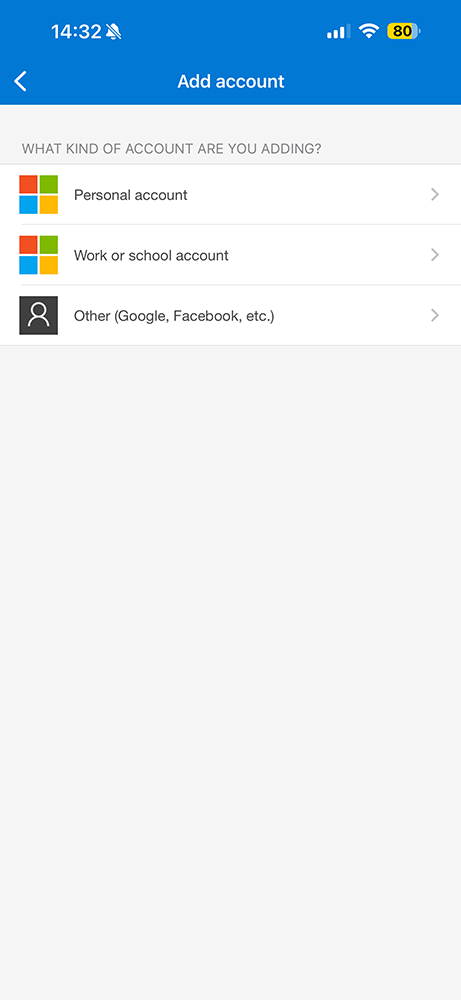
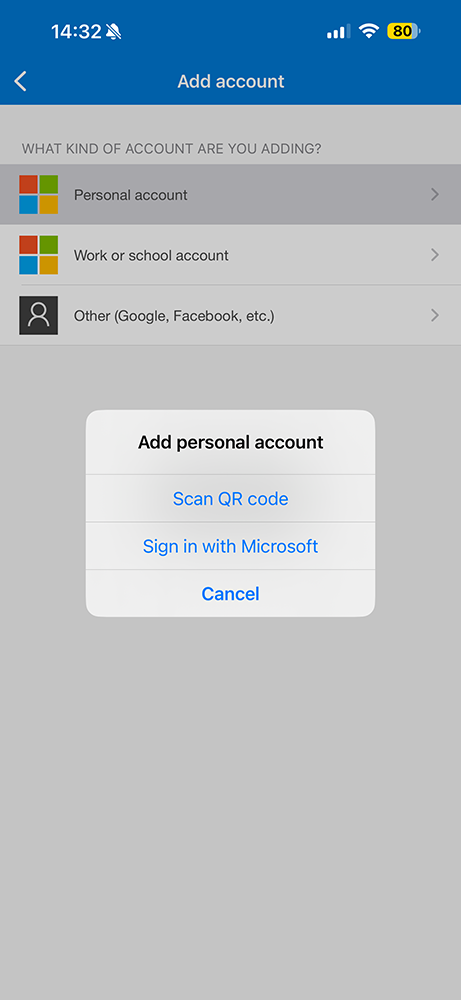
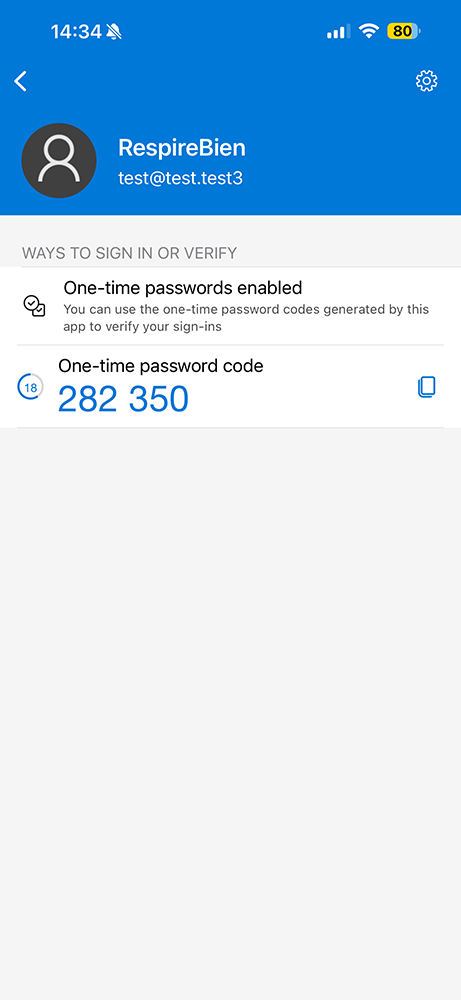
Once the app is installed, add a new personal account and scan the QR code.
<div class="guide-gallery">                                                                                                                                                                                    
  <img src="/storage/guide/01/1.3.1.png" alt="Authenticator menu">                                                                                                                                                
  <img src="/storage/guide/01/1.3.2.png" alt="Account type menu">                                                                                                                                                      
  <img src="/storage/guide/01/1.3.3.png" alt="Choosing a personal account">                                                                                                                                               
  <img src="/storage/guide/01/1.3.4.png" alt="Authentication code">                                                                                                                                                
</div>    

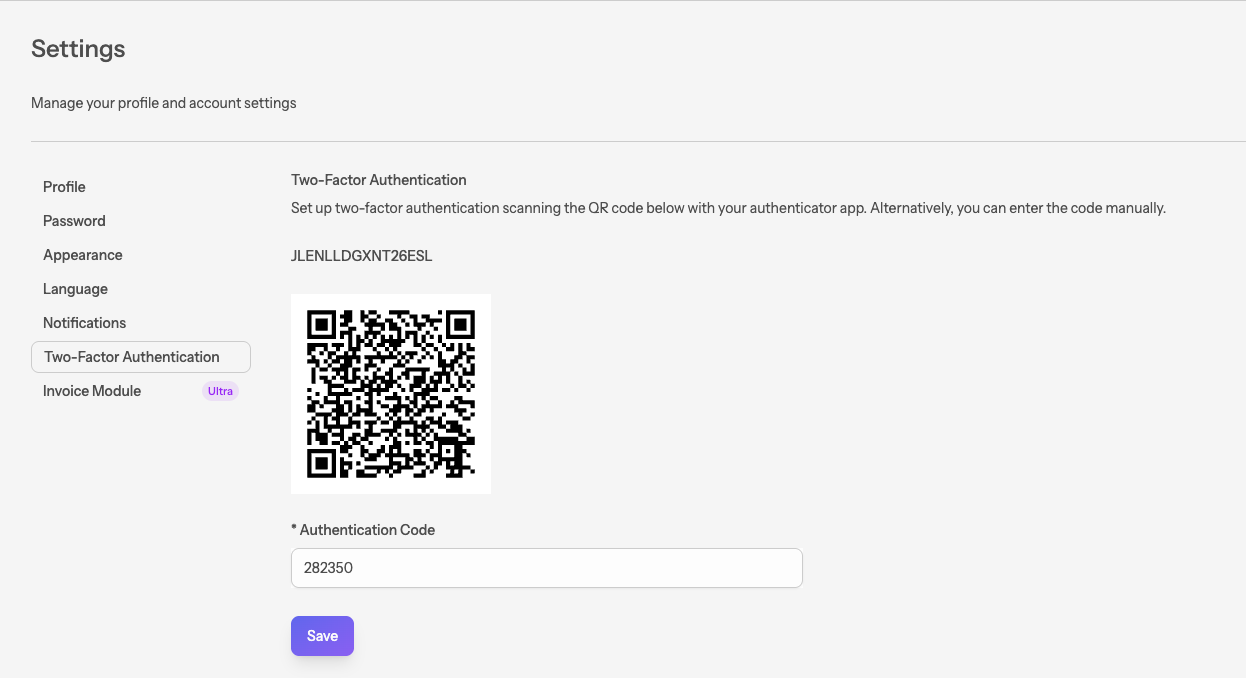
Enter the OTP code and save.
![Two-factor authentication](/storage/guide/01/1.4.en.png)